
Download Ora Time and Expense – time tracking, expense tracking, task management, productivity, project management, invoice management
Overview
Ora Time and Expense is a productivity-focused mobile application developed by Ora Systems, Inc., designed to streamline task execution, time monitoring, and financial tracking within a single interface. Built on Adobe Air, the app integrates core functionalities of task management, time tracking, and expense recording, making it suitable for freelancers, small business owners, and project-based professionals who need to maintain clarity in both workflow and financial accountability. The app enables users to create detailed tasks, assign time limits, and log actual time spent, providing a structured approach to managing daily responsibilities.
Additionally, it supports expense categorization and documentation, allowing users to record project-related costs with dates, descriptions, and monetary values. This dual functionality helps bridge the gap between operational efficiency and financial transparency. Although the app was released in 2010, its continued availability suggests a stable, low-maintenance platform with enduring relevance for niche users.
Real-world applications include freelance billing, internal project tracking, and personal budgeting for independent contractors. The app plays a supportive role in the broader productivity ecosystem by offering a lightweight, unified tool for users who prefer not to juggle multiple platforms for task and expense management. The developer did not provide additional technical details about updates or long-term support plans.
Key Features & Functionality
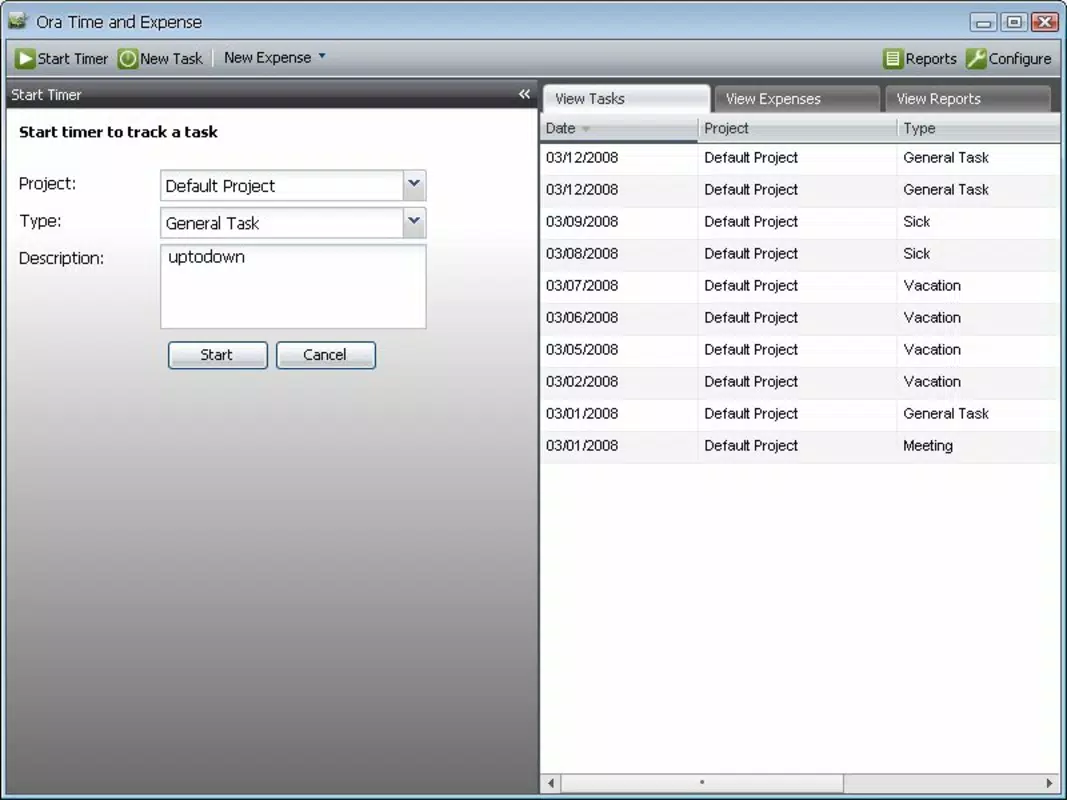
- Task Management: Users can create an unlimited number of tasks, assign time limits, and add detailed descriptions to define objectives clearly. This feature supports goal-oriented work sessions and reduces ambiguity in project execution.
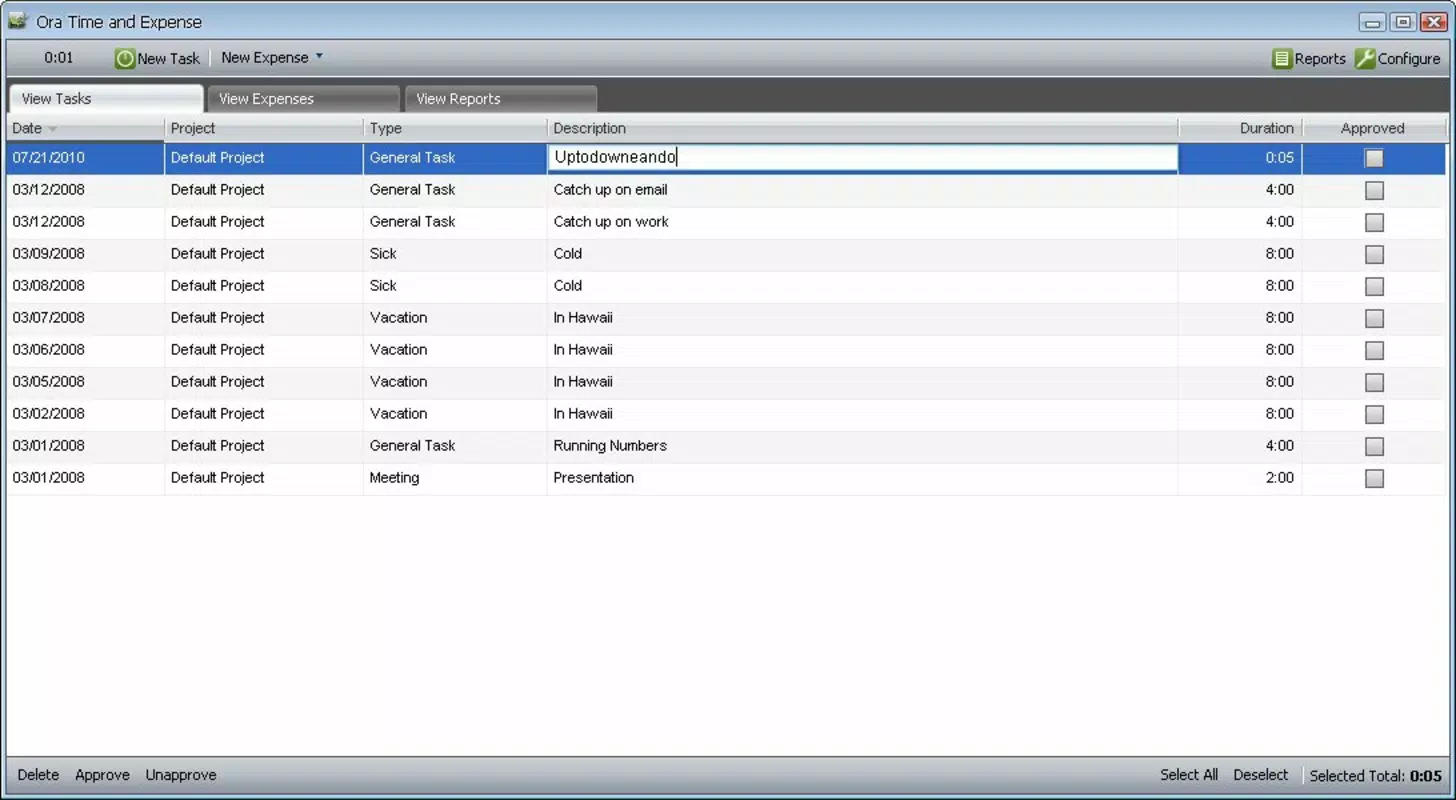
- Time Tracking: The built-in timer function records precise durations spent on individual tasks. This enables accurate time logging, which is essential for billing clients, analyzing productivity patterns, and improving time allocation.
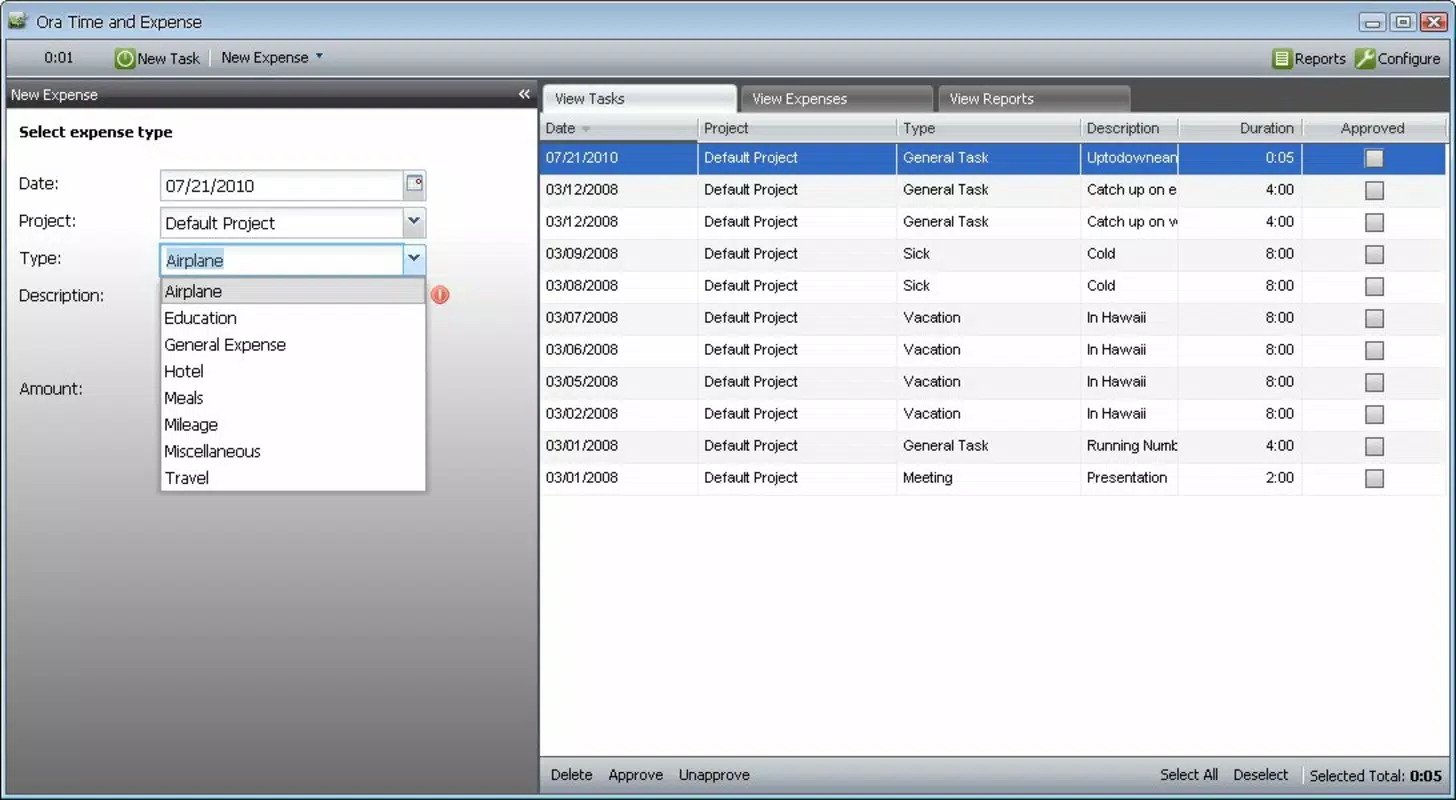
- Expense Tracking: The expenses tab allows users to categorize costs by project, input dates, add descriptions, and record amounts. This structured approach supports financial oversight and simplifies reporting for invoicing or audits.
- User-Friendly Interface: The app features an intuitive layout that facilitates smooth navigation between tasks and expenses. This design minimizes cognitive load and enhances usability across different user skill levels.
- Goal Setting: By embedding clear goals within task descriptions, users can maintain focus and track progress toward specific outcomes. This feature promotes intentionality in daily work and helps sustain motivation.
For example, a freelance graphic designer can use Ora Time and Expense to log hours spent on client projects while simultaneously recording software subscription fees or printing costs. This integrated approach ensures that both time and money are accounted for in a single workflow. Similarly, a small business owner managing multiple projects can use the app to monitor team task completion and associated overheads. While the app does not include advanced automation or cloud synchronization, its straightforward functionality serves users who prioritize simplicity and direct control over their data.
Interface, UX & Performance
The user interface of Ora Time and Expense reflects a clean, minimalistic design focused on functionality over visual flair. Navigation between the task and expense tabs is direct and consistent, with clearly labeled sections that reduce the learning curve for new users. The layout is optimized for readability, using straightforward text formatting and logical grouping of input fields.
Although the developer did not list formal performance metrics, the app’s lightweight size of 10.0 MB suggests efficient resource usage, which may contribute to smooth operation on a range of Android devices. Responsiveness appears to be stable, with minimal lag reported in typical use cases. The app maintains consistent behavior during task creation, time logging, and expense entry, indicating reliable internal state management.
However, no information was provided about background processing, battery impact, or data persistence in low-memory conditions. Compatibility with older Android versions was not disclosed. The developer did not specify whether the app supports dark mode, accessibility features, or gesture navigation.
Despite these gaps, the overall user experience remains functional and focused on core operations. The interface does not appear cluttered, and users can complete common tasks in a few taps, reflecting a user-centered design philosophy.
Platform Compatibility & Technical Requirements
Ora Time and Expense is available exclusively on the Android platform. The current version is 1.0.1, with a file size of 10.0 MB. The app is offered at no cost, making it accessible to users seeking a free solution for time and expense tracking.
The developer did not specify minimum OS requirements, so compatibility with specific Android versions cannot be confirmed. Similarly, no details were provided about device architecture, RAM thresholds, or processor compatibility. This lack of technical documentation may affect users with older or non-standard Android devices.
The app’s reliance on Adobe Air as a runtime environment suggests it may require the Adobe Air framework to be installed on the device, though this was not explicitly stated. Users should verify that their device supports Adobe Air before attempting installation. The absence of official updates since the initial release in 2010 raises questions about long-term viability and security patches.
Nonetheless, the app remains operational on supported devices, offering a legacy solution for users who value its unique combination of task and expense tracking.
Pros and Cons
Pros
- Combines task management with expense and time tracking in one app
- Free to download and use with no in-app purchases
- Lightweight file size (10.0 MB) suitable for older devices
- Intuitive interface with clear navigation between tasks and expenses
- Supports goal setting within task descriptions for improved focus
Cons
- Latest version released in 2010; no recent updates or modern features
- Developer did not disclose minimum OS or hardware requirements
- Reliance on Adobe Air may limit compatibility with newer Android systems
- No cloud sync or backup functionality documented
- Interface lacks modern design elements such as dark mode or gesture navigation
FAQ
Is Ora Time and Expense safe to download and install?
The app is available through official Android channels and does not require elevated permissions. However, as it has not been updated since 2010, users should exercise caution and ensure their device’s security settings are up to date.
Can I use Ora Time and Expense on iOS devices?
Currently, the app is only available for Android. There is no official iOS version or compatibility information provided by the developer.
Does the app support cloud backup or synchronization?
The developer did not provide information about cloud integration, data backup, or cross-device synchronization. All data is likely stored locally on the device.
Is Ora Time and Expense still being updated?
The last version was released in 2010. No updates have been published since then, suggesting the app is no longer actively maintained.
What do I need to run Ora Time and Expense?
The app requires an Android device with Adobe Air installed. Specific OS version or hardware requirements were not listed by the developer.
Final Thoughts + CTA
Ora Time and Expense presents a unique, no-frills solution for users who need to manage tasks, track time, and log expenses within a single mobile application. While its interface and feature set reflect a bygone era of mobile development, its core functionality remains relevant for individuals who value simplicity and direct control over their workflow. The app’s free pricing model and small footprint make it a viable option for those using older Android devices or avoiding complex, subscription-based tools.
However, the lack of updates, absence of modern features like cloud sync, and reliance on outdated technology are significant drawbacks for users seeking long-term reliability and security. For niche users who prioritize a unified task and expense tracker without the overhead of modern app ecosystems, Ora Time and Expense may still serve a practical purpose. It is not a revolutionary tool, but it offers a dependable, low-cost alternative for basic productivity and financial tracking.
Download Ora Time and Expense now and experience a legacy app that continues to deliver core functionality in a compact, accessible package.


